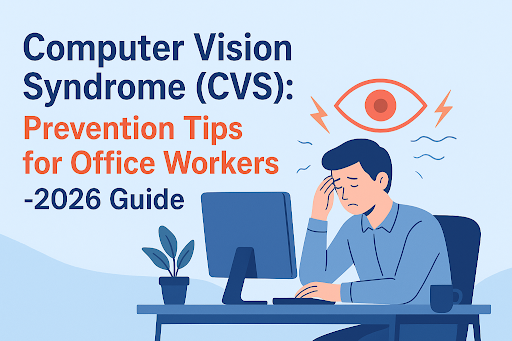
Computer Vision Syndrome (CVS)
In Bangalore’s bustling IT and corporate hubs, office workers often spend endless hours staring at screens.
From drafting emails to coding software, attending video calls, or designing graphics, the screen never seems to leave your side.
This continuous exposure can take a serious toll on your eyes, sometimes resulting in a condition called Computer Vision Syndrome (CVS).
Thankfully, with the right guidance and expert eye care support, such as the comprehensive services offered at Seedi Eye Care Centre, you can keep your eyes healthy while maintaining your digital productivity.
Let’s explore everything you need to know about CVS and its prevention.
What Is Computer Vision Syndrome (CVS)?
Before we discuss prevention, it’s essential to understand what CVS is and why it’s becoming increasingly common in the modern workspace.
Definition of Computer Vision Syndrome
Computer Vision Syndrome is a group of eye and vision-related problems resulting from prolonged computer, tablet, e-reader, or smartphone use.
Unlike temporary eye strain, CVS can cause persistent discomfort and impact daily life if left untreated. Experts often call it digital eye strain, as it’s directly linked to extended screen exposure.
Why CVS Is Common Among Office Workers
You know what? Most office workers underestimate how much time they spend glued to screens. Whether coding for hours, reviewing presentations, or managing spreadsheets, your eyes work overtime.
Combined with poor lighting, improper posture, and reduced blinking, this makes CVS almost inevitable for those in office-heavy roles.
Difference Between Eye Strain & Computer Vision Syndrome
Many people confuse simple eye strain with CVS. Here’s a quick comparison:
| Feature | Eye Strain | Computer Vision Syndrome |
| Duration | Short-term, resolves with rest | Persistent, may worsen over time |
| Symptoms | Mild discomfort, slight fatigue | Dry eyes, blurred vision, headaches, neck pain |
| Cause | General overuse | Extended screen use, poor ergonomics, lighting |
| Treatment | Rest, occasional eye drops | Lifestyle changes, CVS eye drops, ergonomic corrections |
The key takeaway? Eye strain is temporary; CVS requires proactive attention.
Also Check: Contact Lens Fitting Cost in Bangalore – Complete Expert Guide 2026
Common Symptoms of Computer Vision Syndrome
Recognizing symptoms early can save your eyes from long-term damage. CVS manifests through multiple signs affecting your vision, comfort, and overall well-being.
Eye-Related Symptoms (Dryness, Burning, Redness)
- Dry, itchy eyes are the most common complaints.
- Burning or stinging sensation often occurs after long screen sessions.
- Redness appears due to irritated blood vessels from constant focus and reduced blinking.
Vision Problems (Blurred Vision, Double Vision)
- Blurry vision during or after screen use is a red flag.
- Double vision may occur in severe cases, especially when your eyes are fatigued.
- Difficulty focusing on text or images can affect productivity and comfort.
Headaches, Neck & Shoulder Pain
- Extended screen work strains not just eyes but also neck, shoulders, and upper back.
- Poor posture amplifies tension headaches.
When CVS Symptoms Become Serious
- Persistent blurred vision, chronic dry eyes, or severe headaches.
- CVS can worsen underlying eye conditions if left untreated.
- Early diagnosis prevents complications.
Causes of Computer Vision Syndrome in Office Workers
Understanding the triggers helps prevent CVS before it starts.
Prolonged Screen Time & Reduced Blinking
- Average office workers spend 6–10 hours a day staring at screens.
- Blinking drops from 15–20 times per minute to 5–7 times, causing dry eyes.
Blink Rate Table:
| Situation | Blinks per Minute |
| Normal | 15–20 |
| While on Screen | 5–7 |
Poor Lighting & Screen Glare
- Fluorescent overhead lighting, sunlight reflection, and shiny monitors all contribute.
- Glare forces the eyes to work harder, increasing strain.
Incorrect Sitting Posture & Screen Position
Slouching, craning your neck, or placing your monitor too high or low can worsen CVS. When your screen isn’t at the right height or distance, your eyes end up working harder than they should, and that extra effort quietly adds up by the end of the day.
Uncorrected Vision Problems
- Small refractive errors (like mild nearsightedness) can go unnoticed but add strain over hours of screen use.
- Even minor uncorrected vision issues amplify symptoms like headaches and blurred vision.
Also Check: 7 Powerful Causes of Blurry Vision & When to Seek Help (2026)
Who Is at High Risk of Computer Vision Syndrome?
Some professions and groups are particularly vulnerable due to extended digital exposure.
IT Professionals & Software Engineers
Long coding sessions, debugging marathons, and screen-based problem-solving increase strain. Tight deadlines often mean fewer breaks, and intense focus on small details can cause reduced blinking, quietly pushing the eyes toward fatigue.
Work-From-Home Employees
Home setups often lack ergonomic support, proper lighting, or optimal screen distance. Without clear work-hour boundaries, many end up stretching screen time late into the night, which disrupts eye recovery and worsens Computer Vision Syndrome symptoms.
Designers, Editors & Content Creators
Visual-heavy tasks demand constant focus, color correction, and attention to detail. Switching between multiple screens and fine visual adjustments forces the eyes to refocus repeatedly, accelerating eye strain and dryness.
Students & Digital Learners
Online classes, research, and e-learning platforms make younger eyes equally susceptible. Extended device use without proper breaks, combined with recreational screen time, leaves little room for visual rest during the day.
How Computer Vision Syndrome Is Diagnosed
Early detection is key to preventing lasting eye damage. Identifying CVS early also makes treatment simpler and far more effective.
Comprehensive Eye Examination for CVS
Eye doctors check vision clarity, eye alignment, and eye movement coordination. They also assess how comfortably your eyes focus and shift between distances during screen use.
Routine exams help detect early CVS symptoms before they escalate. This is especially important for office workers who may ignore mild discomfort until it becomes constant.
Dry Eye Evaluation & Tear Film Testing
Tear quality and production are tested to assess dryness levels. These tests reveal whether screen use is disrupting your eye’s natural lubrication.
This helps determine if Computer Vision Syndrome eye drops or other treatments are needed. Personalized treatment ensures relief without overusing unnecessary medications.
Importance of Regular Eye Check-Ups for Office Workers
Annual or semi-annual exams prevent chronic eye strain. They also help update prescriptions as your visual needs change over time.
Early intervention can significantly reduce the risk of long-term vision issues. It allows small problems to be corrected before they interfere with daily work and comfort.
Also Read: LASIK in Bangalore: Cost, Eligibility & Top Clinics in 2026
Best Prevention Tips for Computer Vision Syndrome (CVS)
Prevention is always better than cure, especially with something as persistent as CVS.
Follow the 20-20-20 Rule
- Every 20 minutes, look at something 20 feet away for 20 seconds.
- Resets your focus and relieves eye muscles.
Maintain Proper Screen Distance & Height
- Ideal: screen 20–24 inches from eyes, top slightly below eye level.
Screen Setup Table:
Improve Workplace Lighting Conditions
- Avoid harsh overhead lights; use adjustable desk lamps.
- Position screens perpendicular to windows.
Blink More & Use Lubricating Eye Drops (If Prescribed)
- Conscious blinking keeps eyes moist.
- Artificial tears reduce dryness and irritation.
Take Short & Frequent Screen Breaks
- Stand, stretch, or walk for a few minutes every hour.
- Small breaks improve circulation and relieve eye fatigue.
Also Check: Don’t Take Your Eyes for Granted: The Power of Regular Eye Care
Ergonomic Tips to Prevent CVS at the Workplace
Comfortable posture = healthier eyes.
Correct Sitting Posture for Office Workers
Keep feet flat on the floor, back straight, shoulders relaxed. Your hips should be slightly higher than your knees to support the natural curve of your spine.
This posture reduces strain on your neck and allows your eyes to face the screen without constant adjustment.
Ideal Chair, Desk & Screen Setup
- Chair: adjustable height, lumbar support.
- Desk: elbows at 90 degrees.
- Monitor: slightly below eye level.
Laptop vs Desktop – Which Is Better for Eye Health?
- Desktop allows better ergonomics; laptops may require external stands and keyboards.
- Screen positioning and distance are more adjustable with desktops.
Role of Computer Glasses in Preventing CVS
Computer glasses are often overlooked, yet they can make a noticeable difference for people who spend most of their day in front of screens. While they aren’t a magic fix, the right pair can reduce visual stress and improve overall screen comfort.
What Are Computer Glasses?
Special lenses designed for intermediate screen distance with anti-reflective coating. They are customized to match the exact distance between your eyes and your digital screen.
Unlike regular reading glasses, computer glasses support relaxed focusing during prolonged use. This reduces constant refocusing and helps your eye muscles stay at ease throughout the workday.
Blue Light Blocking Glasses – Do They Help?
These glasses may reduce glare and visual fatigue, especially under harsh office lighting. They can make screens feel softer and more comfortable during extended work sessions.
However, evidence on long-term eye disease prevention remains limited. They work best when combined with good screen habits, proper lighting, and regular breaks.
Who Should Use Computer Vision Glasses?
Heavy screen users, office professionals, and anyone with persistent digital eye strain benefit the most. They are particularly helpful for people who experience headaches or blurred vision by the end of the day.
Individuals with mild refractive errors may also notice improved comfort. An eye examination ensures the glasses are tailored to your specific screen-use needs.
Also Check: Foods and Vitamins That Naturally Help Improve Your Vision
Computer Vision Syndrome & Dry Eye Disease
Dry eye disease and Computer Vision Syndrome often go hand in hand, especially for people who spend long hours in front of screens. When digital habits interfere with natural tear production, discomfort builds quietly and steadily.
How Screen Use Worsens Dry Eyes
- Reduced blinking leads to tear evaporation.
- Screens intensify dryness, making eyes more sensitive.
- Over time, this dryness can cause a gritty or sandy feeling that becomes hard to ignore.
- Air-conditioned office environments further speed up moisture loss from the eyes.
CVS Treatment for Dry Eye Patients
- Artificial tears, gels, and ointments recommended by eye specialists.
- Environmental modifications, like humidifiers, can help.
- Treatment plans are usually tailored based on the severity of dryness and daily screen exposure.
- Using the right Computer Vision Syndrome eye drops consistently can restore comfort and protect the eye surface.
Lifestyle Changes to Reduce Dryness
- Drink plenty of water, include omega-3s, adjust air conditioning levels.
- Limit direct airflow from fans or AC vents toward your face.
- Simple habits like taking screen breaks and blinking consciously make a noticeable difference over time.
Treatment Options for Computer Vision Syndrome
Personalized care is essential. Seedi Eye Care Center offers tailored solutions for digital eye strain.
Prescription Glasses for Digital Eye Strain
- Tailored to screen distance and vision needs.
- Special lens coatings reduce glare and improve visual clarity during prolonged screen use.
- These glasses help relax eye muscles by supporting natural focusing patterns.
Dry Eye Treatment & Eye Drops
- Prescribed Computer Vision Syndrome eye drops restore tear film and reduce irritation.
- Treatment may include gels or ointments for longer-lasting relief, especially in severe cases.
- Consistent use helps protect the eye surface from further digital stress.
Vision Therapy & Eye Exercises
- Eye focusing exercises improve flexibility and reduce fatigue.
- Guided therapy trains eyes to shift focus smoothly between near and distant objects.
- Over time, this improves visual endurance during long work hours.
Workplace Habit Modifications
- Adjusting screen height, lighting, and posture minimizes recurrence.
- Structured screen breaks reduce continuous eye strain throughout the day.
- Small daily changes in work habits can significantly improve long-term eye comfort.
Also Check: 10 Easy Ways to Take Care of Your Eyes in the Screen Era
CVS Prevention Tips for Work-From-Home Professionals
Working from home offers flexibility, but it often blurs the line between work and rest. Without a structured setup, screen time can quietly stretch longer than it should, putting extra pressure on your eyes.
Managing Screen Time at Home
Use timers, take breaks, alternate tasks to reduce continuous screen exposure. Set gentle reminders to step away from your screen every hour, even if it’s just for a minute or two.
Switching between screen work and non-screen tasks helps your eyes reset and recover naturally.
Home Office Lighting & Screen Setup
Balance natural light, avoid glare, maintain ergonomically correct screen distance. Position your desk so windows are to the side, not directly in front or behind the screen.
Adjust brightness and contrast settings to match the room lighting instead of forcing your eyes to adapt.
Balancing Digital & Offline Activities
Include walks, reading, or hobbies to give eyes a rest from screens. Even short outdoor breaks allow your eyes to focus at longer distances, which relaxes eye muscles.
Offline activities also reduce mental fatigue, making it easier to return to work refreshed.
Don’t Miss: Cataract Surgery Bangalore: Tech, Cost & Recovery Guide
When Should You See an Eye Doctor for CVS?
Sometimes, eye discomfort isn’t just a bad day at work or too much screen time. Knowing when to seek professional help can make all the difference for your long-term eye health.
Warning Signs You Should Not Ignore
Persistent headaches, blurred vision, or eye pain despite breaks. If these symptoms show up daily or worsen by the end of your workday, it’s time to pay attention.
Ignoring these early signs can cause simple strain to turn into a recurring problem.
Long-Term Impact of Untreated CVS
Chronic dry eyes, worsening vision, and decreased productivity. Over time, constant eye strain can affect concentration, sleep quality, and overall comfort.
What starts as mild irritation can quietly interfere with both work performance and quality of life.
Importance of Early Eye Care Intervention
Early detection prevents permanent damage. Timely treatment helps reset unhealthy visual habits before they become ingrained. It also reduces the need for more intensive treatments later on.
Regular check-ups ensure personalized treatment for lasting eye comfort. Your eye care plan can evolve with your work demands and screen habits. This ongoing care keeps your vision comfortable, clear, and resilient.
FAQs on Computer Vision Syndrome (CVS)
1. Is Computer Vision Syndrome permanent?
No, Computer Vision Syndrome is not permanent in most cases. With timely care, proper breaks, and the right treatment, symptoms usually improve significantly.
2. How many hours of screen time cause CVS?
CVS often develops when screen use stretches beyond 6 to 7 hours a day without adequate breaks. Long, uninterrupted screen sessions increase eye fatigue and dryness much faster.
3. Can CVS be cured completely?
While there’s no one-time cure, CVS can be controlled very effectively. Consistent lifestyle changes, ergonomic adjustments, and eye care make a noticeable difference.
4. Do children get Computer Vision Syndrome?
Yes, children can develop CVS with excessive use of digital devices. Extended screen time for online learning or gaming can strain young eyes just as much as adults.
Final Thoughts – Protect Your Eyes in the Digital Age
Screens are here to stay, but constant eye discomfort doesn’t have to be part of the deal. With a little awareness and the right habits, it’s entirely possible to work comfortably, stay productive, and protect your vision for the long run.
Why CVS Prevention Is Essential for Office Workers
Digital eye strain isn’t just uncomfortable; it can impact your focus, productivity, and overall health. Small, consistent actions like following the 20-20-20 rule, taking breaks, and using ergonomic setups can save your eyes significant stress.
Importance of Regular Eye Check-Ups in Bangalore
Visiting eye specialists ensures early detection and tailored Computer Vision Syndrome treatment. If you spend hours in front of screens, don’t wait for symptoms to escalate. Book an eye check-up at Seedi Eye Care Centre today and protect your vision for years to come.